Tivra Pay (TivraPay) – Register, Login, App & Complete User Guide
Learn about Tivra Pay (TivraPay) — registration, login, app download, token trading via UPI, referral rewards, withdrawal steps, and safety guidelines. No deposit is required to start.
Download Tivra Pay App Join Telegram Channel Try WywalletFirst Published: 24 August 2026 | Last Updated: 17 September 2026
| Details | Information |
|---|---|
| App Name | Tivra Pay (TivraPay) |
| Platform Type | P2P Token Trading & Wallet App |
| Referral Commission | 1% Lifetime + Milestone Bonuses (per app terms) |
| Minimum Withdrawal | ₹100 – ₹200 |
| Login Method | Mobile OTP / Secure Password |
| Website | tivrapay.co |
| Payment Mode | Direct UPI (P2P – No Middleman) |
| Supported Devices | Android 5.0 and above |
| Registration | Mobile Number + OTP (Free) |
USDT Rate on Tivra Pay
The Tivra Pay app currently displays a USDT rate of approximately 1 USDT ≈ ₹105. This rate is configured by the platform and differs from the open market rate (₹95–₹96 on exchanges like Binance) because Tivra Pay operates as a closed P2P token trading platform. The displayed rate is for reference only and can change without notice. Always verify the current rate inside the live app before trading.
* Rate as displayed on the platform. Verify live rate inside the app. This is not financial advice.
What is Tivra Pay?
Tivra Pay is a token trading platform designed for users who want to buy and sell supported tokens through a mobile interface. Users can view available token information, check prices, and manage buy or sell transactions according to the features provided by the service.
For someone using Tivra Pay for the first time, it is important to understand that token prices can change over time. A token purchased at one price may later be worth more or less, so buying and selling tokens involves financial risk and should not be treated as a guaranteed way to earn money.
Before creating an account, check the current Tivra Pay registration process, available tokens, transaction fees, withdrawal conditions, payment methods, and applicable terms. Always verify that you are using the correct website or application before entering your personal or account information.
USDT Rate Information
See the displayed USDT value and use the calculator to estimate an INR amount.
INR Order Tools
The supplied screens show payment-order related tools and transaction information.
Wallet & Account
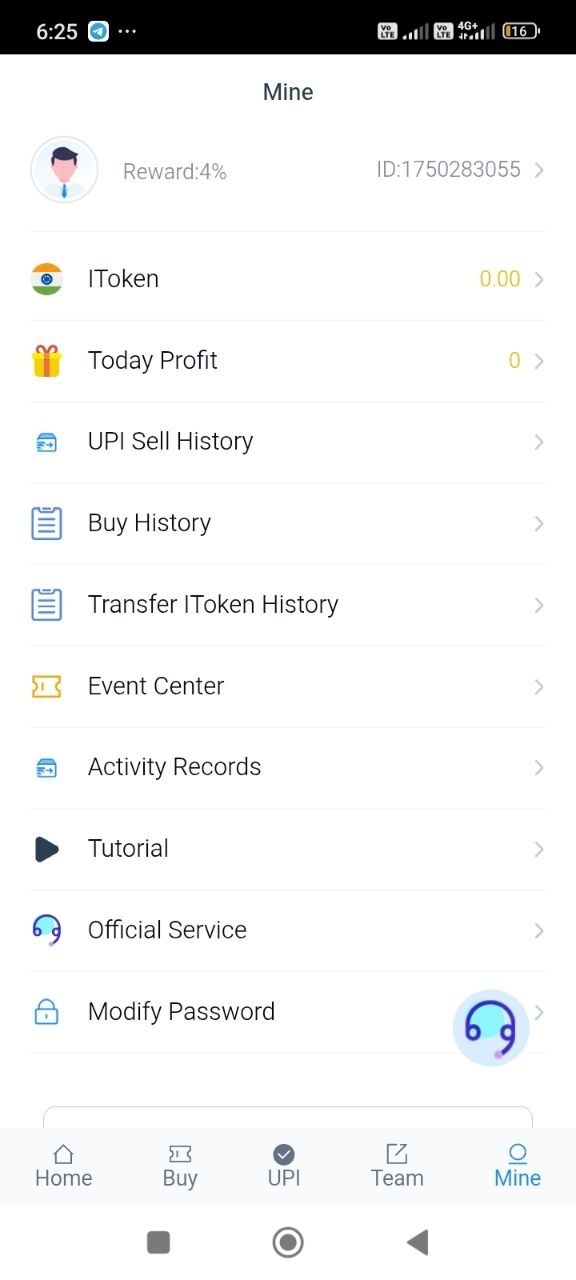
Review the app screenshots for wallet, profile and account-related sections.
Real App Screens
The original supplied screenshots and image paths remain unchanged in this build.
Useful App Information
Plain language guidance designed for people first, while giving search engines clear context about the page.
Tivra Pay App Screenshots
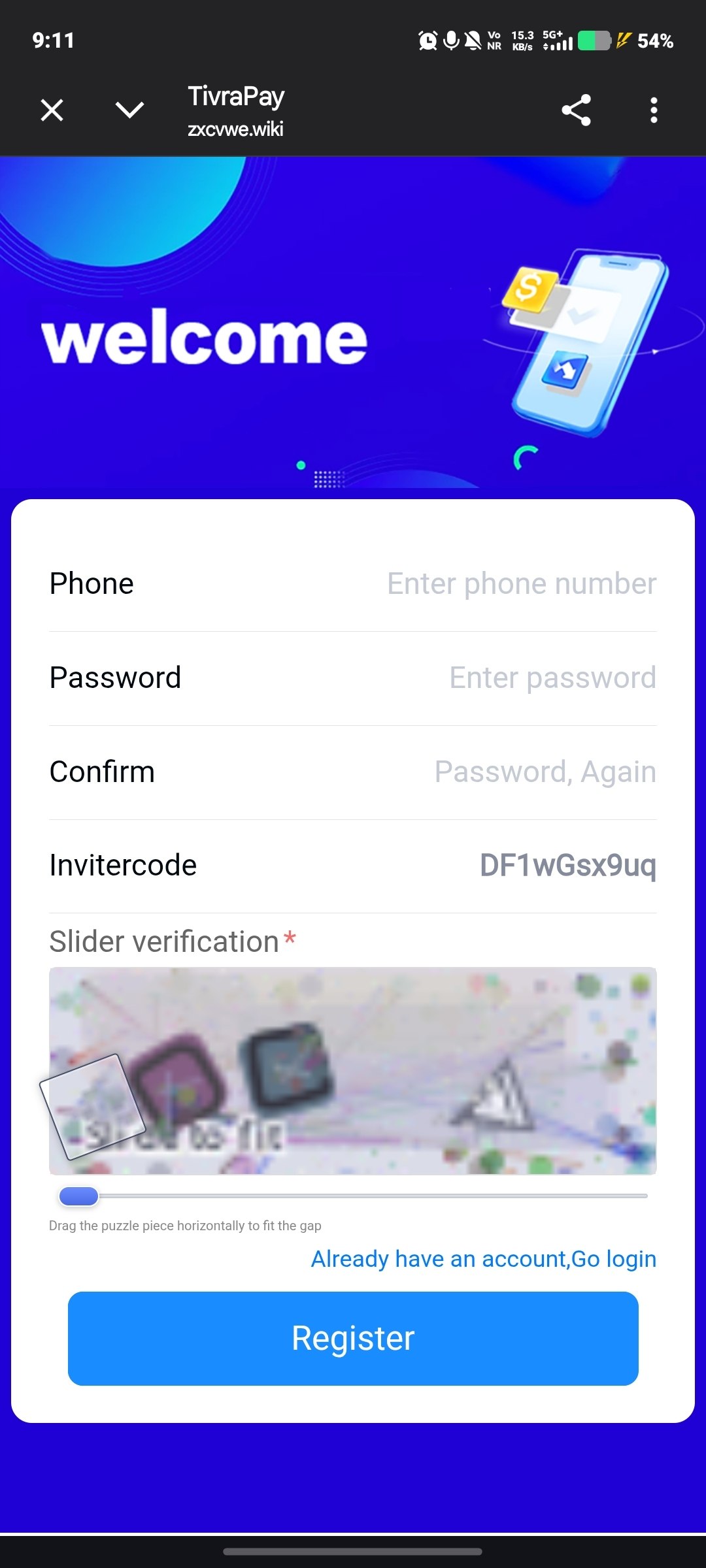
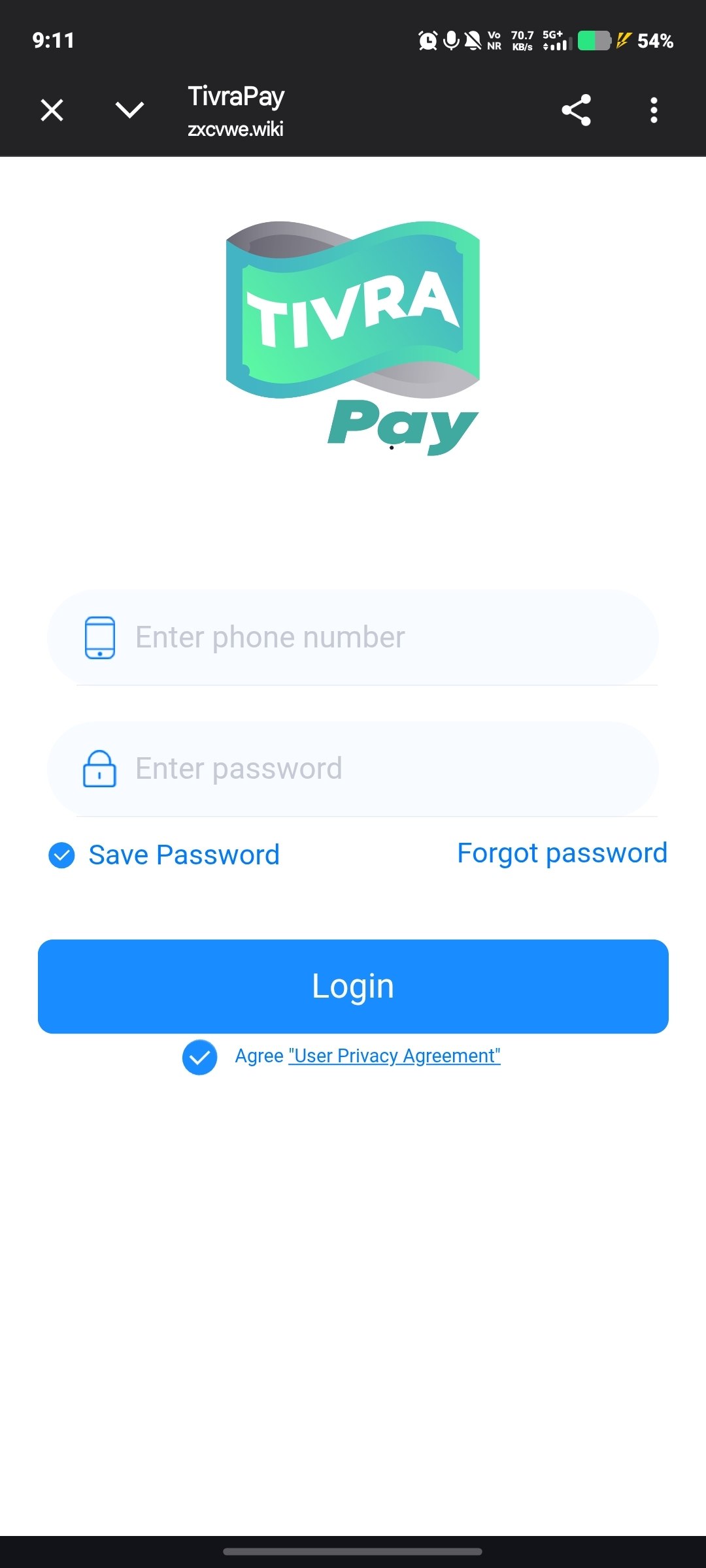
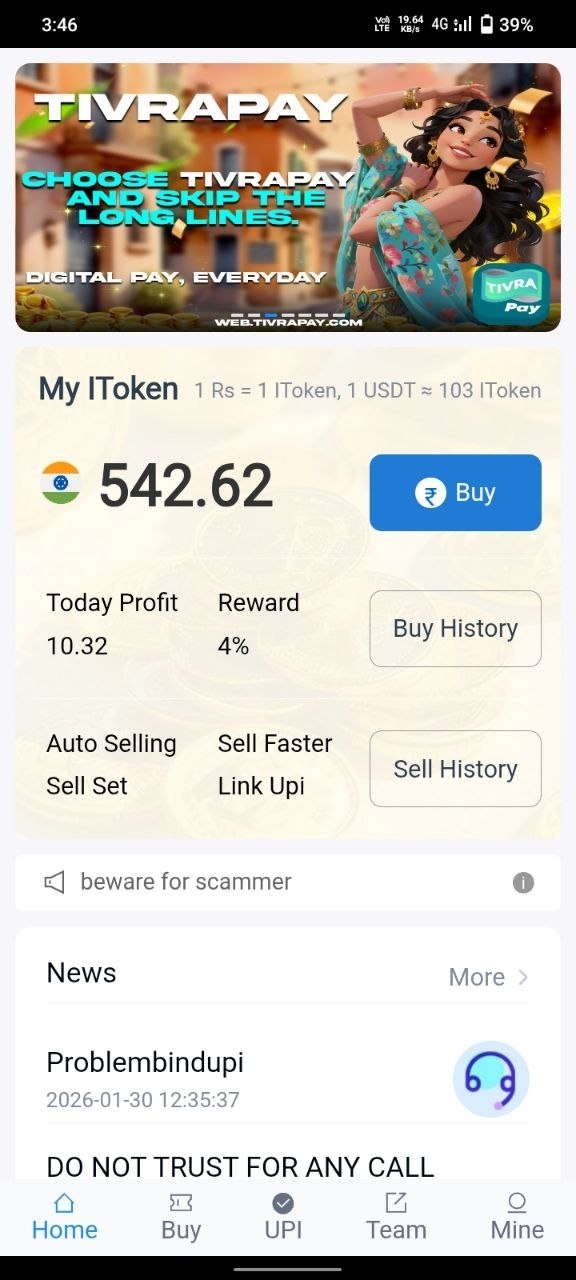
These screenshots show the interface as it appears in the live Tivra Pay app. Swipe or scroll to see all screens.
Why Do People Use Tivra Pay?
People try Tivra Pay mainly because it is easy to start and payments move directly between users. There is no heavy KYC, no upfront deposit, and no complex order book to learn.
- Zero investment required: Start token trading without putting in a single rupee
- UPI-based payments: Money moves directly between buyer and seller – the platform does not hold user funds
- Referral program: 1% lifetime commission on purchases made by referred users (per app terms)
- 24/7 in-app support: The support team is available inside the app
- Community channel: A Telegram group where users discuss trades and share tips
- Funds stay with users: The platform acts as a matching layer, not a custodian
Why Do Users Search for Tivra Pay Login and Download?
Existing users commonly search for Tivra Pay login when they want to access an existing account. New users may search for Tivra Pay app download when looking for application information. A safer approach is to identify the genuine service domain first and then use the download or login option provided there. Avoid installing modified application files or entering account credentials into unfamiliar websites.
What is P2P Trading on Tivra Pay?
If you are new to token trading, here is how the model works before you spend even one rupee.
- What is P2P? Peer-to-peer means you trade directly with another user. TivraPay only shows you the matching buyer or seller – the money moves directly between the two of you.
- What are tokens? Tokens are digital units you can buy, hold, and sell inside the app. Their value moves with demand, like any other tradable asset.
- How does a trade work? A seller lists tokens at a price, a buyer accepts and pays the seller's UPI ID directly, the seller confirms receipt, and tokens are released instantly.
- What is the risk? Token prices can go up or down, and trades depend on both sides being honest. Read the User Safety Guide before your first trade.
New users usually complete their first small trade within a few minutes of registering.
How to Download and Install the Tivra Pay App – Step by Step

The download takes about two minutes on any Android phone. Follow these steps:
- Check compatibility: Tivra Pay runs on Android 5.0 (Lollipop) and above. Keep about 50MB of free storage.
- Open the website: Visit tivrapay.co/tivra-pay on your phone browser
- Download the app: Tap the Download button on this page to get the latest Tivra Pay app file
- Allow unknown sources: Enable "Install unknown apps" for your browser under Settings > Security (or Apps)
- Install: Open the downloaded file and tap Install. Wait for it to finish.
- Verify the app: After installation, check that the app name and icon read "TivraPay" to confirm you installed the right file
- Register: Open the app and complete registration with your mobile number and OTP
App not installing? Free up storage, re-enable "Unknown Sources" for the correct app, or re-download the file and try again.
iPhone users: Tivra Pay is currently available for Android only. An iOS version is under evaluation, and any updates will be announced on the official Telegram channel.
TivraPay Register – How to Create Your Account
Registration is free and takes less than two minutes. Follow these steps:
- Download and open the Tivra Pay app from the website
- Tap Register on the welcome screen
- Enter your +91 mobile number
- Create a strong password (use a mix of letters, numbers and symbols)
- Enter a referral code if you have one – this unlocks the joining bonus
- Verify with the OTP sent to your phone
- Complete the one-time profile setup and you are ready to trade
Keep your mobile number handy for future logins – it is your TivraPay ID. If you face any issue during TivraPay register, check the troubleshooting section below or contact in-app support.
Tivra Pay Login – How to Log In with OTP & Password
Logging back in is straightforward. Open the app, enter your registered mobile number, and verify with the OTP that arrives on your phone – or use the password you set during registration. Once inside, your dashboard shows current buy/sell offers and your wallet balance.
- Open the Tivra Pay app on your device
- Enter your registered mobile number (+91 India)
- Verify using OTP or enter your secure password
- Enter your referral code if you have one (to claim the joining bonus)
- Access your dashboard and start buying/selling tokens
How to Earn on Tivra Pay
Users looking to earn through Tivra Pay should first understand the available methods. The platform does not guarantee income — results depend on your activity, market conditions, and referral network.
The main approaches used by active users are:
- Trading Tokens: Buying tokens at a lower price and selling when the price moves in your favour. A platform commission applies on each completed trade.
- Referral Program: Sharing your referral code with others. You earn a 1% lifetime commission on purchases made by users who sign up through your code, plus milestone bonuses.
- Volume-Based Activity: Active traders may unlock additional benefits based on monthly trading volume, according to app terms.
Each method is explained in more detail in the sections below. Beginners are advised to start with small amounts and learn how trades work before scaling up.
How the Tivra Pay Earning Model Works
There are three ways people earn on Tivra Pay, and most active users combine at least two of them:
- Trading: Buy tokens at a price you accept and sell when the price moves in your favour. A commission of 2% to 6% applies per completed trade, as per app terms.
- Referrals: The app offers a 1% lifetime commission on purchases made by users you refer, plus milestone bonuses at 10, 25, 50, and 100 referrals.
- Volume-based rewards: Active traders may unlock volume-based commissions on monthly trading, as per app terms.
A word of caution: none of this is guaranteed income. What you earn depends on your trading activity, market movement and how your referral network grows.
How to Buy Tokens on Tivra Pay
Buying is a simple process and usually takes less than five minutes:
- Log in and open the Buy section from the main menu
- Browse the seller list and pick a price that suits you
- Enter the token quantity and total amount you wish to purchase
- Pay the seller directly on their UPI ID
- Tap the "I Have Paid" button to notify the seller
- The seller confirms receipt and tokens are credited to your wallet instantly
How to Sell Tokens on Tivra Pay
Selling works the same way in reverse, and payments land in your UPI app instantly:
- Open the Sell section in the Tivra Pay app
- Set your token quantity and desired selling price
- Wait for a buyer to pick your offer
- The buyer sends payment to your UPI ID
- Check your bank/UPI app and confirm the money has arrived
- Tap Confirm Payment to release the tokens to the buyer
- The platform deducts its commission automatically and the rest stays in your wallet
How to Verify a UPI Payment Before Releasing Tokens
This single habit protects you from most P2P fraud. Before you release tokens to any buyer:
- Open your own UPI/bank app – never trust a screenshot sent by the buyer
- Check the exact amount matches the order total, including any decimals
- Check the sender name and UPI ID match the buyer's profile in the app
- Confirm the transaction shows "Success" in your statement, not "Pending"
- Only then tap Confirm Payment inside the Tivra Pay app
Screenshots can be edited in seconds. Your bank statement cannot. If anything looks wrong, raise an in-app appeal and never release the tokens. More protection tips are in the User Safety Guide.
How to Withdraw Earnings from Tivra Pay
Withdrawing your earnings is simple. Most requests are processed within 24 to 48 hours:
- Open the Withdraw section from the app menu
- Enter the amount you want to withdraw (minimum ₹100 – ₹200)
- Select your UPI-linked bank account
- Review the details and confirm the request
- Track the status from the Withdrawal History page
- Money lands directly in your bank account once processed
Supported UPI Payment Apps on Tivra Pay
Tivra Pay works with all major UPI payment apps. When you buy or sell tokens, payments are sent and received directly through these apps. Below are the most commonly used UPI apps supported on the platform:
 Google Pay
 PhonePe
 Paytm
 BHIM UPI
 MobiKwik
 Cred
How it works: When you buy tokens, the app shows the seller's UPI ID — simply open your preferred UPI app, send the payment, and confirm inside TivraPay. When you sell, the buyer sends payment directly to your UPI ID linked to any of these apps.
Full Form & Branding
TIVRAPAY
TIVRAPAY has no official full form. The domain is tivrapay.co, the app is downloaded as TivraPay, but the most popular name on YouTube and Telegram is Tivra Pay.
- Official domain: tivrapay.co — this is the only verified source for the app download
- App name: TivraPay (displayed as "TivraPay" after installation)
- Popular name: Tivra Pay — commonly used in YouTube videos, Telegram groups, and user discussions
- No official full form: TIVRAPAY is a brand name, not an acronym. There is no expanded meaning associated with it.
- Brand identity: Green and white theme with a distinctive logo — always verify the logo and domain before downloading
Why this matters: Scammers create fake apps using similar names like "Tivra Pay Pro", "TivraPay Plus", or "New Tivra Pay". Knowing the exact branding helps you identify the genuine app. The official app icon is green with the TivraPay name — if the icon or name looks different, do not install it.
TivraPay Referral Program – How It Works
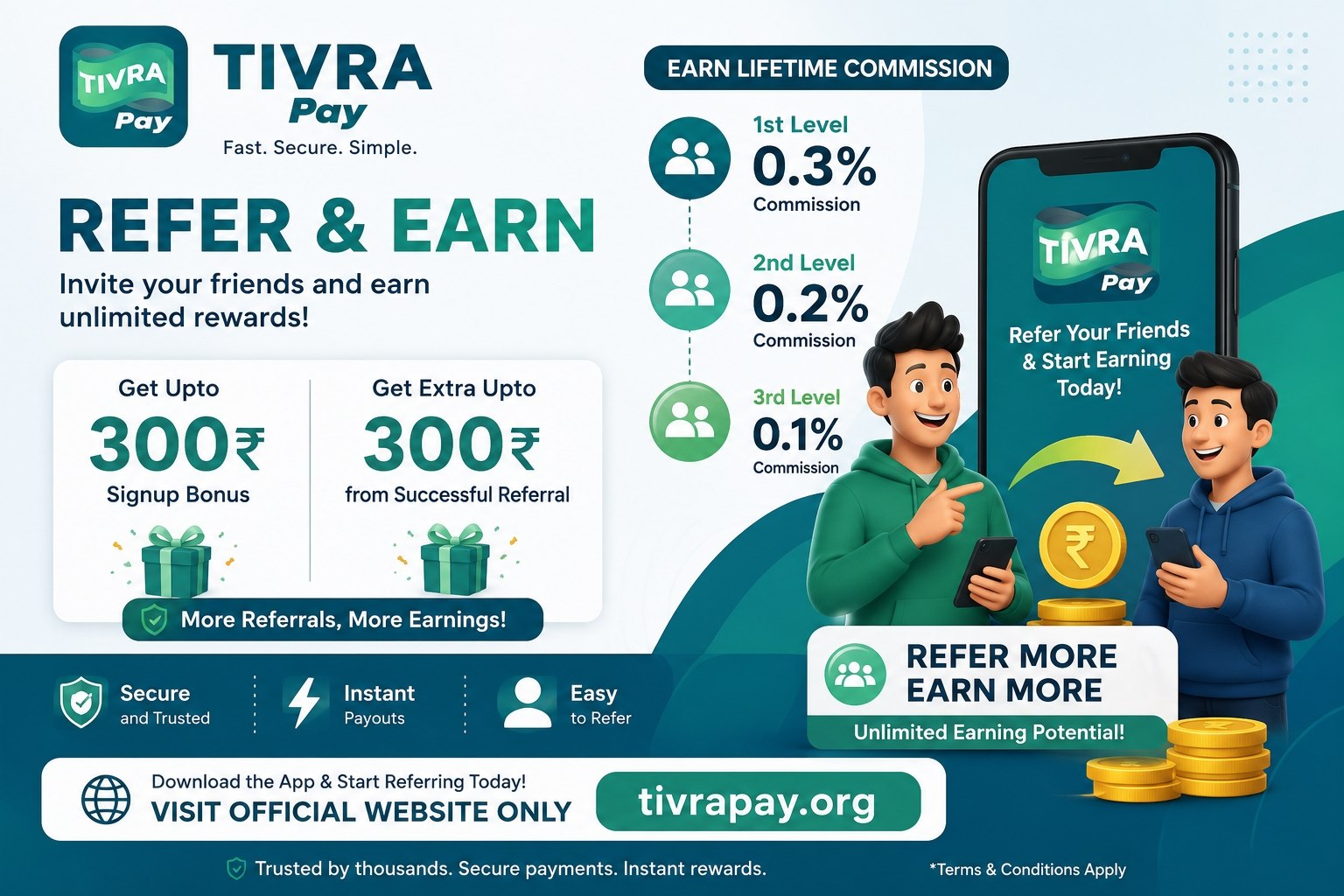
The referral program lets you earn from your network without trading more. Share your referral code with friends, and every purchase they make gives you a 1% lifetime commission, as described in the app. Milestone bonuses apply as your network grows:
| Referral Level | Commission | Bonus Reward |
|---|---|---|
| Per Referral Signup | ₹25 Instant Bonus | -- |
| 1 to 10 Referrals | 1% Lifetime on Purchases | -- |
| 10 Referrals | 1% Lifetime | 500 Extra Tokens |
| 25 Referrals | 1% Lifetime | 1500 Bonus Tokens |
| 50 Referrals | 1% Lifetime | 3500 Bonus Tokens |
| 100 Referrals | 1% Lifetime | 7000 Bonus Tokens + ₹500 Cash |
You can find your personal referral code inside the app under Referral > My Code. Share it on WhatsApp, Telegram or Instagram wherever your friends will see it.
Tivra Pay Fees – What Does Trading Cost You?
Knowing the fee structure before you trade saves you from surprises at checkout. Here is the breakdown as per the app's terms:
- Registration: Free – no charge to create an account
- Deposits: Not applicable – Tivra Pay does not require any deposit to start trading
- Trade commission: 2% to 6% deducted automatically when a trade completes successfully
- Withdrawals: No platform fee – the amount you request is the amount you receive (standard bank/UPI charges, if any, are set by your bank)
- Referral payouts: Paid directly to your wallet balance with no processing fee
Because Tivra Pay is P2P, the platform does not touch the money moving between users. It only deducts its commission from the seller's settlement after a confirmed trade.
Pros and Cons of Tivra Pay
| Pros | Cons |
|---|---|
| Zero investment required to start trading | Not registered with RBI or SEBI |
| P2P model – platform never holds user funds | App-only distribution (not listed on Play Store) |
| UPI payments move directly between buyers and sellers | Phishing risk from fake websites – use only tivrapay.co |
| Active Telegram community for discussion | Users must verify payments manually before confirming |
| Built-in appeal system for disputed transactions | No public customer care number (anti-scam measure) |
| Simple onboarding with no upfront deposit | Not a guaranteed income source – results vary by effort |
Is Tivra Pay Legal or Illegal in India? – 2026 Legal Status
This is one of the most commonly asked questions about Tivra Pay, and the answer requires a careful look at how Indian law treats token trading platforms. Here is a balanced, fact-based explanation.
The Short Answer
As of 2026, using a P2P token trading platform like Tivra Pay for personal trading is not illegal under Indian law. The Supreme Court of India struck down the RBI's banking restriction on crypto in 2020 (IAMAI vs. RBI), and no statute since then has criminalised the buying, holding, or selling of digital tokens by individuals. However, Tivra Pay is not registered with RBI or SEBI, and it is not an FIU-IND registered entity. This means it operates outside the formal regulatory framework that applies to exchanges like Binance, CoinDCX, or WazirX.
Legal Status Breakdown
| Factor | Status |
|---|---|
| C2C / P2P token trading for personal use | Legal in India |
| Registered with RBI (Reserve Bank of India) | Not Registered |
| Registered with SEBI (Securities Exchange Board of India) | Not Registered |
| FIU-IND Registered (PMLA compliance) | Not Registered |
| UPI payments follow NPCI guidelines | Yes (P2P model) |
| Tax applicable on trading gains (30% + 1% TDS) | User's Responsibility |
| Tokens are SEBI-regulated securities | No |
What This Means for You as a User
- Personal trading is legal: No Indian law says you cannot buy or sell tokens on a P2P platform as an individual. The activity itself is not a crime.
- No regulatory protection: Because Tivra Pay is not registered with RBI, SEBI, or FIU-IND, you do not have the same protections you would get from a regulated exchange. If something goes wrong, you rely on the platform's internal appeal system rather than a regulator.
- Tax obligation: Any profit you make from token trading is taxable under the Income Tax Act as a Virtual Digital Asset (VDA). Gains are taxed at 30% plus cess, and a 1% TDS applies on transactions above a threshold. It is your responsibility to report and pay taxes on your trading income.
- Bank account risk on P2P: Since payments move directly between users via UPI, there is a small risk that your account could be briefly linked to an investigation if the other party's funds are later traced to a cyber complaint. However, multiple High Courts in 2025–2026 have ruled that bank accounts cannot be frozen entirely on suspicion alone, and only the disputed amount can be liened. Keeping proper trade records helps protect you.
Is Tivra Pay a Scam?
No evidence suggests Tivra Pay itself is a scam. The platform processes real trades and users do receive payments. However, because it operates outside formal regulation, users should approach it with caution. The risks are not about legality — they are about the lack of regulatory safety net. Trade only with money you can afford to lose, keep records of every transaction, and never share your password, OTP, or UPI PIN with anyone.
Points to Consider Before You Trade on Tivra Pay
We cannot give a verdict on whether any platform is "real" or "fake" – that is something each user must evaluate. What we can do is list the points you should check yourself:
- Download source: Use only tivrapay.co for the app download. Clone sites with similar names exist.
- Regulatory status: Tivra Pay is not registered with RBI or SEBI, and tokens are not SEBI-regulated securities.
- Payment flow: P2P model – payments happen directly between users via UPI, and the platform does not hold funds.
- Support channel: Support is available only inside the app; there is no public phone number.
- Risk level: Token prices fluctuate, and earnings are never guaranteed.
Final note: Trade only with money you can afford to lose, and start with small amounts until you understand how the platform works.
Regulatory Status – What You Should Know
Tivra Pay is not registered with the Reserve Bank of India (RBI) or the Securities and Exchange Board of India (SEBI). Payments are processed through UPI, which is operated by banks in India. Whether token trading is legal for you can depend on your own circumstances.
- Not regulated: Tivra Pay and its tokens are not registered with RBI or SEBI
- No deposits or gambling: The model is based on direct user-to-user trades via UPI
- UPI payments: Processed by banks under standard UPI rules
- Your responsibility: Consider consulting a professional before trading if you have questions
- Educational content: This page is not legal or financial advice
Start with small amounts until you fully understand how the platform works. Never invest more than you can afford to lose. See our full Disclaimer for details.
Tivra Pay Security – Safety Tips for Every User
Safety on a P2P platform comes down to habits. Follow these and you will be better protected:
- Verify every payment: Never release tokens until you have personally confirmed the UPI payment in your bank app. No exceptions.
- Never share OTP or password: TivraPay support will never ask for your OTP, password, or UPI PIN. Anyone who asks is a fraudster.
- Use a strong password: Create a unique password and change it every few months.
- Download only from tivrapay.co: Fake apps with similar names exist. Check the domain and app icon before installing.
- Use the in-app appeal system: If a trade goes wrong, raise a dispute immediately through the app instead of settling outside the platform.
- Keep the app updated: Always install the latest version from the website to get security fixes.
Read the complete User Safety Guide for more detailed protection tips.
Common Scams Around Tivra Pay & How to Avoid Them
Because Tivra Pay is popular, fraudsters try to misuse its name. Here are the most common scams we see and how to stay safe:
- Fake customer care numbers: Scammers post fake support numbers online. Tivra Pay has NO public phone number – support is only inside the app.
- Fake download websites: Clone sites with similar names try to install malware. Only tivrapay.co is linked from this guide.
- Fake Telegram admins: Scammers create groups with the Tivra Pay name and ask for deposits. The only channel linked on this page is the one to follow.
- Advance-fee fraud: Anyone asking you to pay to "unlock withdrawals", "activate your account" or "get a bigger limit" is lying. Tivra Pay never asks for such fees.
- Buyer/seller payment tricks: Edited screenshots and "payment pending" excuses. Always check your own UPI app before confirming.
If you spot a fake website or group, report it to the in-app support team so the community can be warned. Full details are on the User Safety page.
Risks & Responsible Trading
Token trading carries risk, and anyone who tells you otherwise is not being honest. Here is what you should keep in mind:
- Price fluctuation: Tokens can go up or down. Only trade with amounts you can afford to lose.
- Unregulated activity: Tivra Pay is not registered with RBI or SEBI, and tokens are not SEBI-regulated securities.
- No guaranteed income: Earnings depend entirely on your trading activity and referral network.
- Impersonation scams: Fake websites and Telegram groups misuse the Tivra Pay name. Use only tivrapay.co/tivra-pay and the Telegram channel linked on this page.
- Manual verification: In P2P, you confirm payments yourself. A missed step can lead to disputes.
Key Features of the Tivra Pay App
- Zero investment: Start token trading without any upfront deposit
- P2P trading model: Direct buy/sell between users via UPI payments
- Referral system: 1% lifetime commission plus milestone bonuses
- Withdrawal: UPI and bank transfers, typically processed within 24 to 48 hours
- 24/7 in-app support: Live chat for dispute resolution and trading help
- Lightweight app: Works on Android 5.0 and above devices
- Appeal system: Raise disputes inside the app when a trade goes wrong
Common Issues and Fixes – Tivra Pay Login and App Problems
If you face any issue with Tivra Pay, try these solutions first:
- OTP not coming: Check your network signal, disable any VPN, restart your phone, and try again
- Login failed: Clear the app cache, reset your password, or reinstall the app
- App crashing: Reinstall the latest Tivra Pay version from the website
- Slow loading: Free up storage space on your device
- Payment pending: Message the other party directly or raise an in-app appeal
- Withdrawal delayed: Check your bank details, then raise an in-app appeal if it crosses 48 hours
How to Contact Tivra Pay Customer Support
Need help? Use the in-app live chat – that is the only support channel and it runs 24/7. Tivra Pay deliberately has no public phone number; it is an anti-scam measure so fraudsters cannot impersonate support staff over calls. Any "customer care number" you see online is fake.
For website-related queries, you can also use our Contact Us page.
Contact Tivra Pay SupportBenefits of Tivra Pay
Potential benefits should be evaluated based on the features actually available at the time of use.
Possible user-focused benefits include:
- Convenient account access
- Digital transaction management
- Mobile-oriented experience
- Availability of transaction information
- Account and security controls
- Access to platform support
- Clearer management of transaction history
These are usability considerations, not promises of financial returns.
How to Verify the Correct Tivra Pay Website
Before entering login information:
- Check the Domain: Make sure the domain exactly matches the service you intend to use.
- Check the Security Connection: Look for HTTPS and a valid browser security indicator.
- Check the Privacy Policy: A genuine service should provide understandable information about data handling.
- Check the Operator: Look for identifiable business or operator information rather than relying on a logo alone.
- Check Independent Evidence: Do not consider a website "official" simply because its page title contains the word "Official".
- Never Share Authentication Details: No genuine support representative should need your password, OTP or UPI PIN.
What Tivra Pay Users Say – Real User Experiences
Thousands of users search for Tivra Pay every month, and most questions come from real traders who are already using the app. Here is a summary of the experiences users most commonly share in Telegram groups and online discussions. Every point below stays honest – the good and the things to be careful about.
- Easy to start: Most new users say the biggest reason they joined is that there is no deposit and no KYC. They download the Tivra Pay app, complete TivraPay register with their mobile number, and do their first small trade within minutes.
- Withdrawals usually arrive on time: Users who keep correct UPI details report that most withdrawal requests are processed within 24 to 48 hours, and the money lands directly in their bank account.
- Referral income is the favourite part: Many users share their referral code on WhatsApp and Telegram. They like the 1% lifetime commission and the milestone bonus at 10, 25, 50, and 100 referrals because it rewards long-term effort.
- Support responds inside the app: Users who raised disputes through the in-app appeal system say the team reviews the trade and responds within the chat. This is why regular users never look for a customer care number – they know support is inside the app only.
- Honest caution from experienced users: Long-time users always advise newcomers to verify UPI payments in their own bank app before releasing tokens, and to never trade money they cannot afford to lose. These two habits prevent almost every common mistake.
These experiences reflect common user feedback and are shared for guidance only. Every user's result depends on their own activity, market movement, and how they follow safety practices.
Why Users Trust This Tivra Pay Guide
We understand that trust matters more than anything when money is involved. This guide is built on a simple rule: we only publish what we can verify, and we clearly mark what you should check yourself before taking action.
- Official source only: All app download and registration guidance points to the verified website tivrapay.co. We never link to clone domains, modified APK files, or unofficial Telegram groups.
- Screenshots from the live app: The screens on this page were captured directly from the Tivra Pay app, so you can compare what you see with what is shown here.
- Regularly updated: This guide was first published on 24 August 2026 and last reviewed on 17 September 2026. When rates, referral terms, or app features change, this page is updated to match.
- Transparent about risks: We do not claim Tivra Pay is regulated by RBI or SEBI, and we do not promise income. Users trust this guide because it tells the truth about risks as clearly as it explains the benefits.
- Safety-first structure: Every major section links to the User Safety Guide, the Disclaimer, and the Contact Us page so you always know where to get verified help.
- No fake numbers, no fake promises: You will never find a fake customer care number or a "guaranteed daily income" claim on this page. Anything that looks like that on other websites should be treated as a red flag.
If you are new here, start with TivraPay register, complete Tivra Pay login once your account is ready, and read the Tivra Pay security tips before your first trade.
Tivra Pay Beginner Tips – Start Right, Stay Safe
Starting on any trading platform is easy, but starting the right way makes all the difference. Here are the tips we share with every new Tivra Pay user:
- Start small: Do your first few trades with small amounts. Learn how buy, sell, and confirmation work before increasing the value of your trades.
- Download from the right place: Always get the Tivra Pay app from tivrapay.co. A single wrong APK from a clone site can compromise your device.
- Verify before you release: On P2P, a screenshot is not proof of payment. Open your own UPI app, confirm the amount and sender, and only then tap confirm inside TivraPay.
- Never share your OTP, password, or UPI PIN: No genuine support team will ever ask for these. Anyone who does is a fraudster, even if they use the Tivra Pay name.
- Keep trade records: Screenshot your orders and UPI payments. In India, token trading profit is taxable as a Virtual Digital Asset (30% plus 1% TDS), so records also help at tax time.
- Use the referral system the right way: Share your code only with people who genuinely want to try the app. The TivraPay referral program rewards real activity, not fake accounts.
- Raise appeals inside the app: If a buyer or seller misbehaves, use the in-app appeal system immediately. Never try to settle disputes outside the platform.
Once you feel confident, withdraw a small amount first to see how the process works. Full steps are in the Tivra Pay withdrawal guide.
Frequently Asked Questions
01 What is Tivra Pay?
Tivra Pay, also written as TivraPay, is a platform name associated online with digital-payment and token-related services. Current features and terms should be verified from the service itself.
02 What is TivraPay register?
TivraPay register is a search phrase users use when looking for information about creating a Tivra Pay account. Users should verify the correct service website before entering personal information.
03 How can I access Tivra Pay login?
Existing users should use the login option provided by the verified service website or application where their account was created. Login credentials should never be entered on an unknown website.
04 Is Tivra Pay available as an app?
Application availability can change. Users should verify the current application publisher and download source before installing an application.
05 Does Tivra Pay support UPI?
Yes, Tivra Pay uses UPI for all buy/sell transactions. Payments move directly between users through supported UPI apps like Google Pay, PhonePe, Paytm, and BHIM.
06 Is TivraPay safe?
Safety depends on the specific website, application, account-security practices and transaction involved. Users should independently verify the service rather than relying on an unsupported safety claim.
07 Is Tivra Pay government approved?
Government or regulatory approval should not be assumed from website wording, logos or search results. Any approval claim should be independently verified through the relevant authority.
08 Can Tivra Pay earnings be guaranteed?
No. Referral rewards, commissions, token values and promotional returns should not be treated as guaranteed income.
09 Can I create multiple accounts?
Creating multiple accounts on Tivra Pay is against the platform's terms. Each user should register only one account using their own mobile number. If you try to create duplicate accounts, your access may be restricted or suspended. Use a single account for all your trading activity.
10 What screenshots are included on this guide?
This guide includes four original screenshots from the Tivra Pay app, preserved exactly as supplied. Screenshot 1 shows the main dashboard with buy and sell options and current token prices. Screenshot 2 displays the earnings screen where users can view their trading activity and commission history. Screenshot 3 presents the referral screen with the referral code and commission earned from referred users. Screenshot 4 shows the withdrawal screen with UPI payment options and past transaction history. These screens represent the interface at the time they were captured, and the live app may appear slightly different after updates. Always refer to the current in-app interface for accurate information.
11 What USDT rate is displayed on Tivra Pay?
The Tivra Pay app currently displays a USDT rate of approximately ₹105 per 1 USDT. This rate is configured by the platform and is used as a reference for P2P trades within the app. It is important to understand that this internal rate differs from the open market USDT/INR rate, which trades around ₹95–₹96 on major exchanges like Binance. The platform's displayed rate is informational and can be changed by the platform at any time. Before placing an order, always check the current rate shown inside the live app. Rates are subject to change without prior notice.
12 Is Tivra Pay legal or illegal in India?
C2C token trading on Tivra Pay is not illegal under Indian law for personal use. The Supreme Court of India struck down the RBI banking ban on crypto in 2020, and no law since has criminalised individual token trading. However, Tivra Pay is not registered with RBI, SEBI, or FIU-IND under PMLA, which means it operates outside the formal regulatory framework. This does not make it illegal, but it does mean users lack the protections that come with regulated exchanges. Any profit from token trading is taxable at 30% plus 1% TDS under VDA provisions. Users should trade responsibly, keep proper records, and consult a tax professional. Read the full legal analysis in the "Is Tivra Pay Legal or Illegal in India?" section on this page.
13 How long does a Tivra Pay withdrawal take?
Most Tivra Pay withdrawal requests are processed within 24 to 48 hours. Once processed, the money lands directly in your UPI-linked bank account. You can follow the status from the Withdrawal History page inside the app. If a withdrawal stays pending for more than 48 hours, check that your bank details are correct and raise an in-app appeal so the team can review it. Withdrawal time can also depend on your bank and UPI service, so small delays are possible.
14 Is there any Tivra Pay customer care number?
No. Tivra Pay deliberately has no public customer care number, and this is an anti-scam measure so fraudsters cannot impersonate support staff over phone calls. Support is available 24/7 only through the live chat inside the app. Any number found online that claims to be Tivra Pay customer care is fake. Never call such numbers and never share your OTP, password, or UPI PIN with anyone who contacts you.
15 What is the minimum withdrawal amount on Tivra Pay?
The minimum withdrawal amount on Tivra Pay is ₹100 to ₹200 as per the app's current terms. You can withdraw any amount above the minimum from your wallet balance to your UPI-linked bank account. Always check the exact minimum shown inside the app before placing a withdrawal request, because the platform can update its limits from time to time.
16 How do I get my Tivra Pay referral code?
Your personal Tivra Pay referral code is available inside the app under Referral > My Code. Open the app, go to the Referral section, and your unique code will be displayed with a share option. When someone completes TivraPay register with your code, they get a ₹25 joining bonus and you earn a 1% lifetime commission on their purchases, plus milestone bonuses at 10, 25, 50, and 100 referrals. Share the code only with people who genuinely want to use the app.
17 Can I use Tivra Pay without any investment?
Yes. Tivra Pay registration is completely free and there is no deposit required to start using the app. You can complete TivraPay register with just your mobile number and OTP, and you are free to start with whatever small amount you can afford. Remember that earnings from trading or referrals are never guaranteed, and you should only trade with money you can afford to lose.